EDI and document exchange
mStart EDI and PANTHEON ERP integration
PANTHEON ERP is connected to the mStart EDI system, so business documents are exchanged with partners automatically, straight from PANTHEON. We successfully transfer purchase orders, goods receipts, delivery notes, receipt confirmations and invoices, with no manual entry.
What the integration does
EDI is the exchange of business documents between computer systems, with no printing or re-typing. Through the mStart EDI system PANTHEON receives partners’ purchase orders and sends delivery notes and invoices, while goods receipts and receipt confirmations travel the same way. The document is created or processed in PANTHEON and does not have to be entered again.
Why EDI is increasingly required
More and more customers and suppliers, especially retail chains and larger companies, ask their partners to exchange documents through EDI. Anyone who cannot risks losing business, or keying in every purchase order and invoice by hand. With PANTHEON connected to mStart EDI you can meet such a request without changing how accounting and the warehouse work: documents are created in PANTHEON as before.
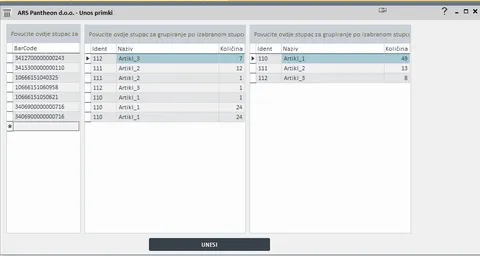
Matching GLN and EAN codes
For the exchange to work, the sender and the receiver must know which company, location and item a document is about. That is why these are matched:
- GLN codes of companies and locations (e.g. branches, warehouses, delivery points),
- EAN codes of items.
Once the codes are matched, the document is recognised on both sides. This reduces manual entry, and everything works automatically through PANTHEON.
Typical scope
- purchase orders,
- goods receipts,
- delivery notes,
- receipt confirmations,
- invoices,
- matching of GLN and EAN codes.
We agree the exact scope based on the partners you exchange documents with.
Often connected together
Frequently asked questions
Which documents do we exchange through mStart EDI?
Purchase orders, goods receipts, delivery notes, receipt confirmations and invoices. Documents are created and received in PANTHEON, and the exchange with the partner runs automatically.
What are GLN and EAN codes and why must they be matched?
A GLN identifies a company or location and an EAN identifies an item. When the codes are matched, the sender and the receiver recognise which company, location or item a document refers to, so it can be processed without manual intervention.
What do we need to get started?
Matched GLN codes of companies and locations and EAN codes of items in PANTHEON and at your partner. We help you with this during set-up.
Connecting mStart EDI to PANTHEON?
Tell us what you need to connect or automate. A short call is enough to estimate the solution and cost.