Custom development and solutions
Automatic payment reminders and payment notices from PANTHEON
Automatic payment reminders send customers notices from PANTHEON about unpaid, overdue invoices and about posted payments, with a list of invoices that are still open. Messages go only to active contacts you have allowed, and a responsible person at your company also gets a notice about customers with no e-mail address.
What is sent
The Notices of unpaid invoices solution contains four basic messages.
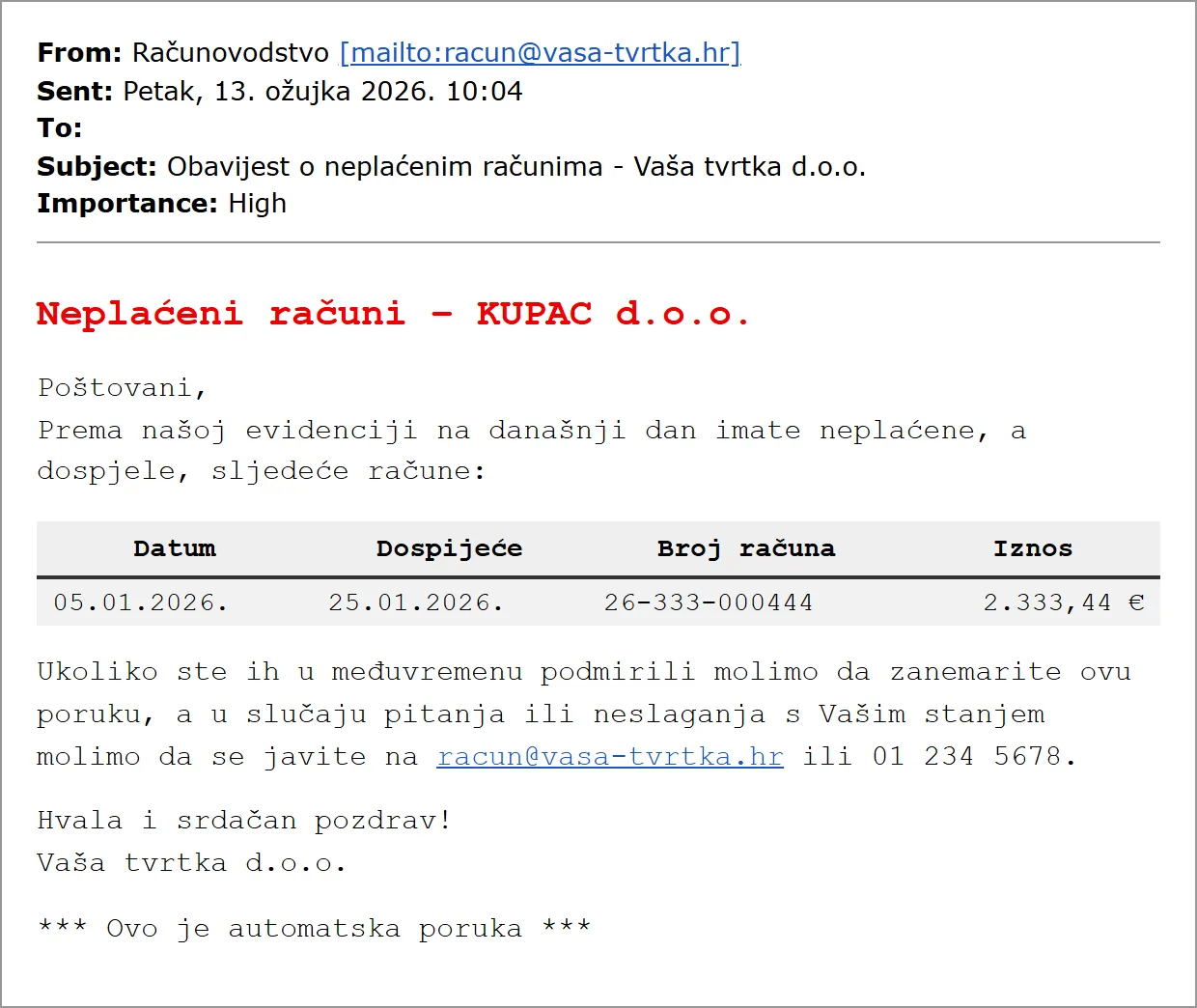
- A message to a customer with open invoices, with instructions on whom to contact. Sent at most once a week or less often.
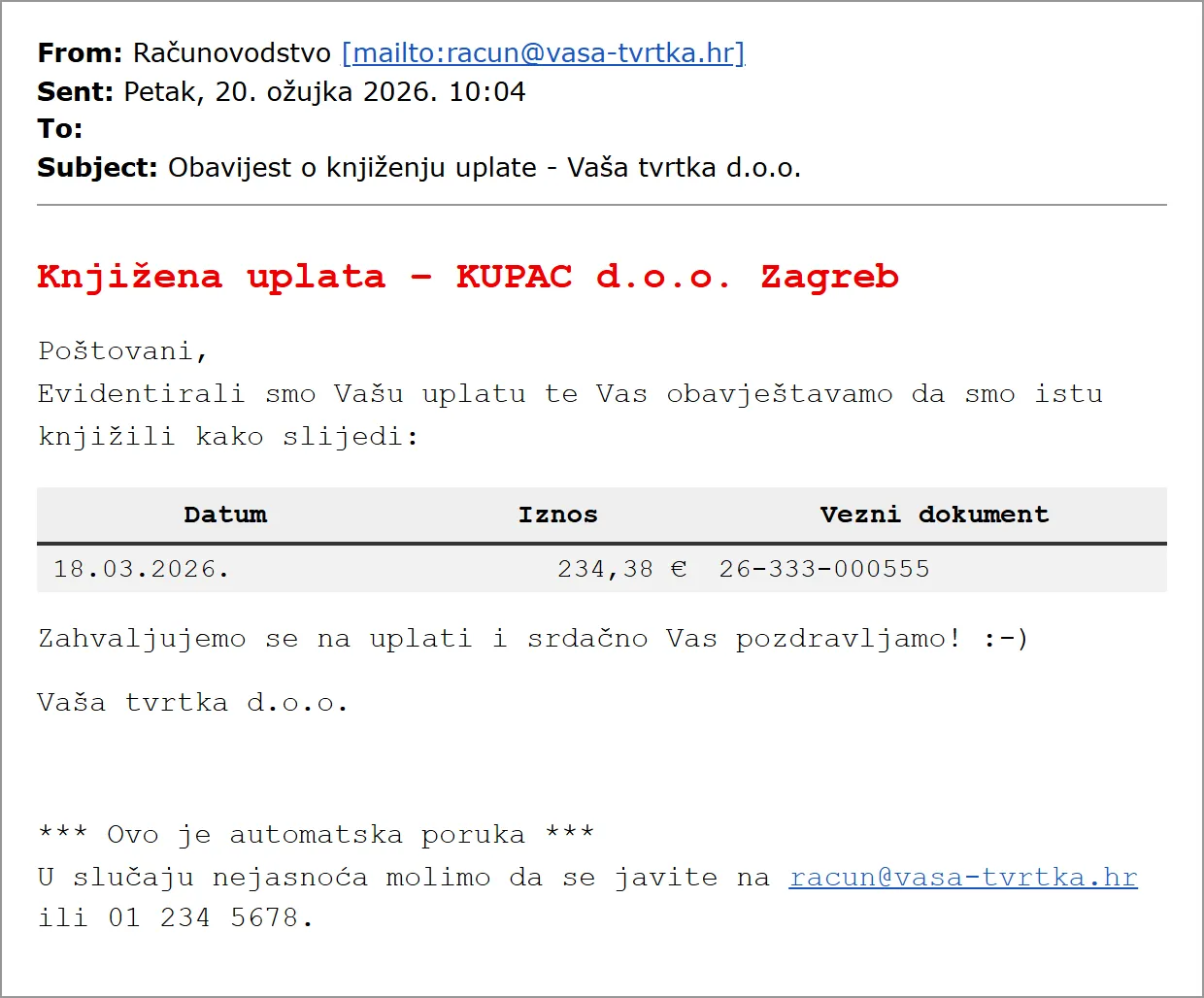
- A notice of a received payment when the customer has no open invoices. Sent every day after the bank statement is posted.
- A notice of a received payment with a specification of invoices that are still open, depending on whether any invoices are still overdue. Sent every day after the bank statement is posted.
- A message to the administrator about customers’ missing e-mail addresses.
Example messages
A message to a customer with overdue invoices:
A notice of a posted payment, when no invoices are open:
A payment notice with a list of invoices that are still open:
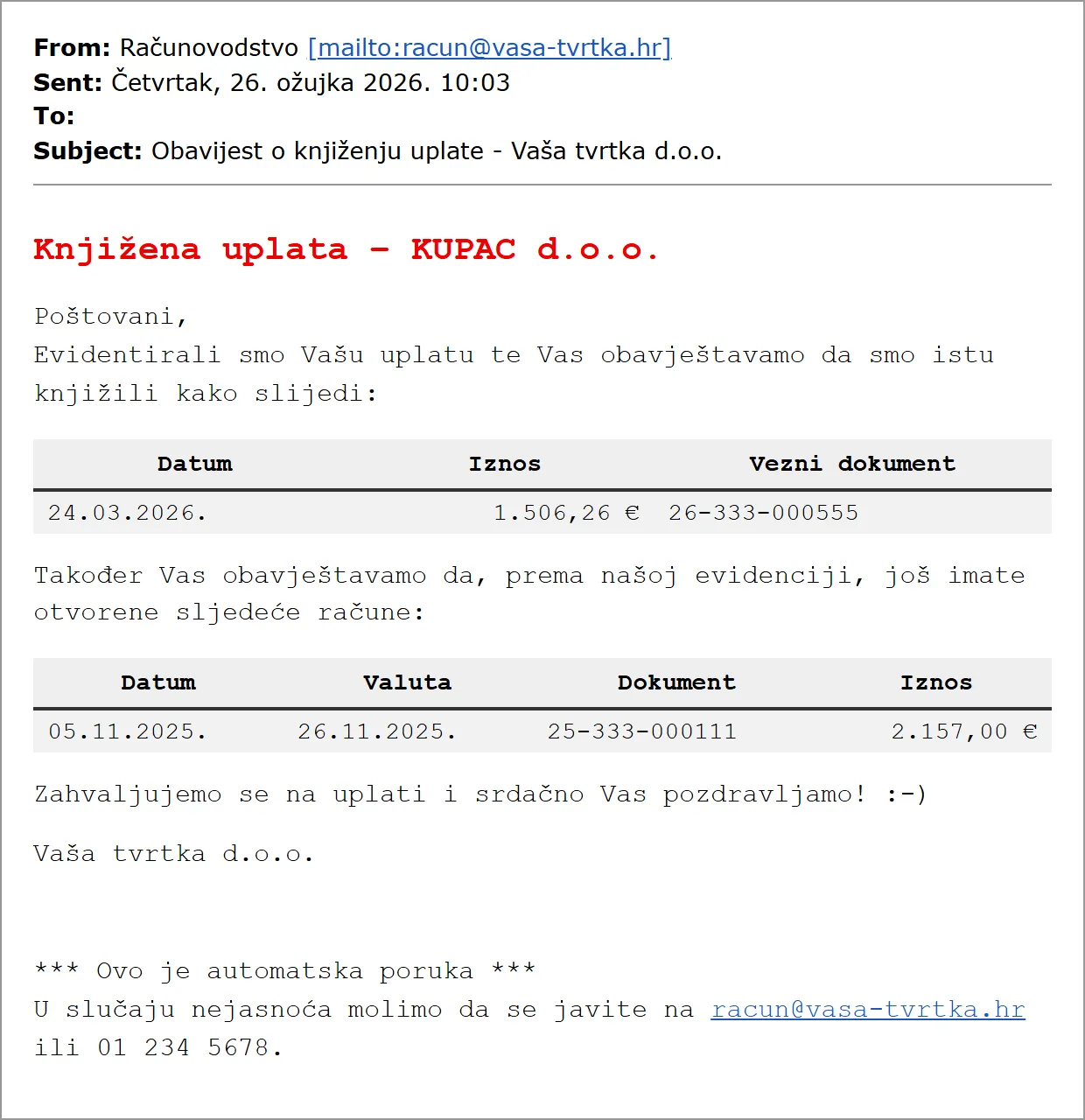
A message to the administrator about customers with no e-mail address:
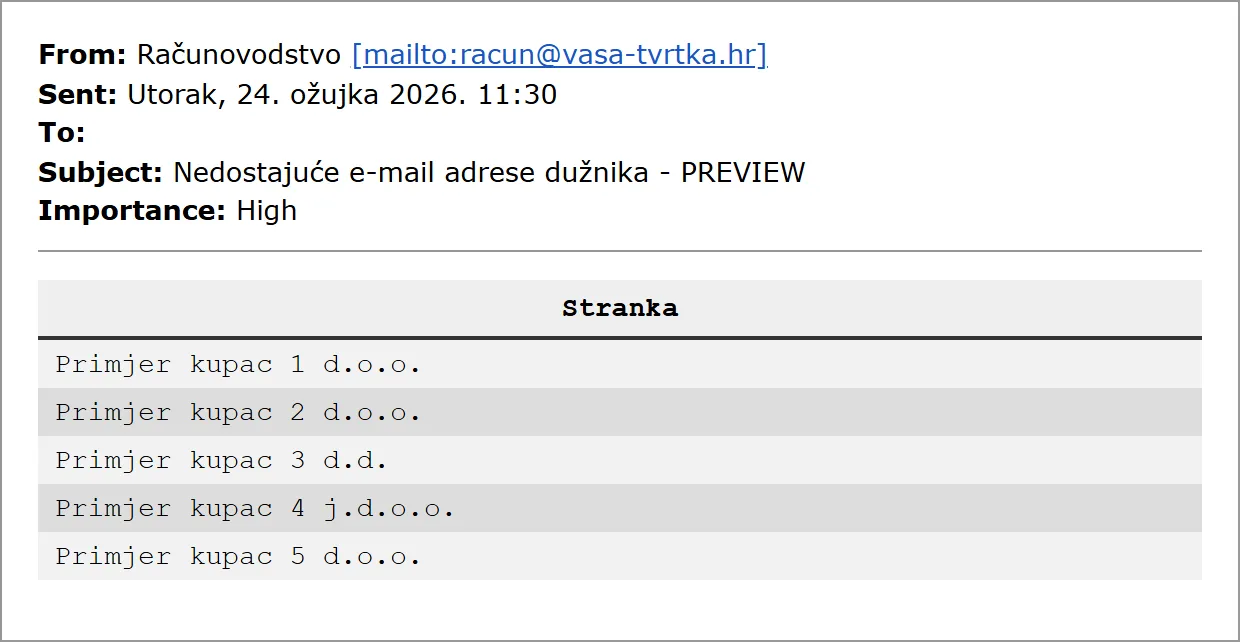
The examples are illustrative: names, amounts and document numbers are made up. The messages are in Croatian, the language they are sent in.
Sending safety
For a message to be sent, all three conditions must be met at the same time:
- the contact person is active,
- the “Do not send reminders” field is not ticked for the customer,
- the address is marked as type “E-mail address for sending reminders”.
That makes it hard to send a message by accident, and it is easy to exclude a single customer or just one person from the notices.
Additional reports
Along with the messages you can also receive:
- a debt recap, at most once a week,
- an invoice ageing recap, at most once a week,
- a report of your choice, straight from the database, with no extra programming, at most once a week.
Pricing
All amounts exclude VAT.
| Item | Price |
|---|---|
| Set-up of the basic procedure (one-off) | EUR 350.00 |
| Set-up of an additional report (per report) | EUR 100.00 |
| Basic messages (monthly): one internal admin address and one responsible person per customer | EUR 53.09 |
| Additional reports (monthly): one internal address | EUR 30.00 |
| Each additional address (monthly) | EUR 2.00 |
| Each e-mail above the included 2,000 a month | EUR 0.03 |
A report of your choice is priced by its type and complexity. The monthly price includes 2,000 sent e-mails to the specified addresses, which in our experience is mostly enough. For the first three months a flat rate applies to e-mails, so the real number of messages can be checked in practice.
Besides reminders, sales see the customer’s status straight on the document with ArsFinInfo.
More custom development and solutions
Frequently asked questions
Can a reminder be sent to the wrong person by accident?
Hardly. A message is sent only if all three conditions are met: the contact person is active, the "Do not send reminders" field is not ticked for the customer, and the address is marked in PANTHEON as type "E-mail address for sending reminders". A single customer or person is easy to exclude.
How often are messages sent?
Reminders to customers with open invoices are sent at most once a week or less often. Notices about a received payment are sent every day after the bank statement is posted.
How many messages are included in the price?
2,000 e-mails a month to the specified addresses. Each additional e-mail is EUR 0.03. For the first 3 months a flat rate applies to e-mails, so the real number of messages can be checked.
Can we also get reports?
Yes. A debt recap, an invoice ageing recap and a report of your choice are available, straight from the database, at most once a week.
Let’s talk about your system
Tell us what you need to connect or automate. A short call is enough to estimate the solution and cost.